Designing the leasing journey from prospect to resident
Shaping a 0→1 AI-native leasing platform that brings prospect management, conversations, tasks, and human intervention into one connected experience.
- Role
- Product Designer
- Timeline
- March 2025 – August 2026
- Industry
- PropTech · AI · B2B SaaS
- Platform
- Web-based CRM
- Scope
- 0→1 Product · Leasing UX · AI Collaboration
Leasing is more than answering inquiries.
A prospective resident might discover a property on Zillow, inquire about availability, schedule a tour, ask questions, submit an application, and eventually sign a lease.
Behind that journey, leasing teams manage hundreds of prospects across calls, emails, texts, listing platforms, and property management systems.
At Accolade, we set out to build an AI-native platform that could handle repetitive operational work while giving leasing teams the context and control they needed to step in when human judgment mattered.
Unlike adding AI to an existing CRM, we were designing the product around AI from day one.
Joining early meant helping define the product, not just designing the screens.
I joined Accolade in March 2025 as one of the founding Product Designers.
Working with Product Managers, engineers, AI teams, and business stakeholders, I helped shape the first version of the leasing experience, from understanding existing workflows to defining product behavior and translating requirements into designs.
My contributions included mapping journeys, exploring interaction patterns, co-authoring PRDs, designing core workflows, refining reusable components, and reviewing implementations.
Because we were building from 0→1, many decisions were made while the product and its requirements were still evolving.
One prospect. Many conversations. Too much context to lose.
Leasing workflows rarely happen in a straight line.
A prospect might start with a message, return with a phone call, schedule a tour, and continue the conversation days later. Meanwhile, the leasing team needs to understand what's already happened, what the prospect needs, and what requires attention next.
The challenge was not simply bringing these interactions into one CRM. We needed to make the information actionable while establishing clear boundaries between what AI could manage and when a human agent should take over.
- 1 How could agents understand a prospect's journey without piecing together information from different places?
- 2 How could AI handle routine conversations while making human intervention clear?
- 3 How could the product surface the next action without adding more operational work?
Before designing the experience, I needed to understand the work behind it.
I was new to the multifamily leasing industry, so I started by studying how leasing operations worked.
I explored competitor products, existing CRM patterns, leasing workflows, support documentation, and AI-first platforms such as EliseAI. I also worked closely with Product Managers and engineers to understand how information moved between prospects, property systems, communication channels, and internal teams.
This helped me understand the decisions leasing agents make every day and where a unified experience could reduce unnecessary complexity.
The research informed product discussions, workflow definitions, and the interaction patterns we explored as the platform evolved.
One task page. Too much information.
Early in the design process, we tried to bring everything a leasing agent might need into a single Task page. It included the calendar, property knowledge, prospect guest cards, conversation context, and other supporting details.
The intention was to give agents everything in one place. But as the experience evolved, we realized that showing more information didn't necessarily help agents complete their work.
We needed to guide the leasing agent, not overwhelm them.
Simplifying the page wasn't enough. We had to rethink the structure.
The early experience also had a separate Activity page containing conversations. As we continued iterating, we questioned how these different parts of the product should work together.
Rather than keeping every detail inside the Task page, we started separating different types of information according to their purpose.
The Task page became more focused on what the agent needed to do next. Supporting experiences such as the Calendar, Community Knowledge, and prospect Guest Cards were given more dedicated spaces, while remaining connected to the workflows where agents needed them.
This wasn't a single redesign. It took multiple iterations, quick prototypes, design reviews, and decisions made alongside the evolving product requirements.
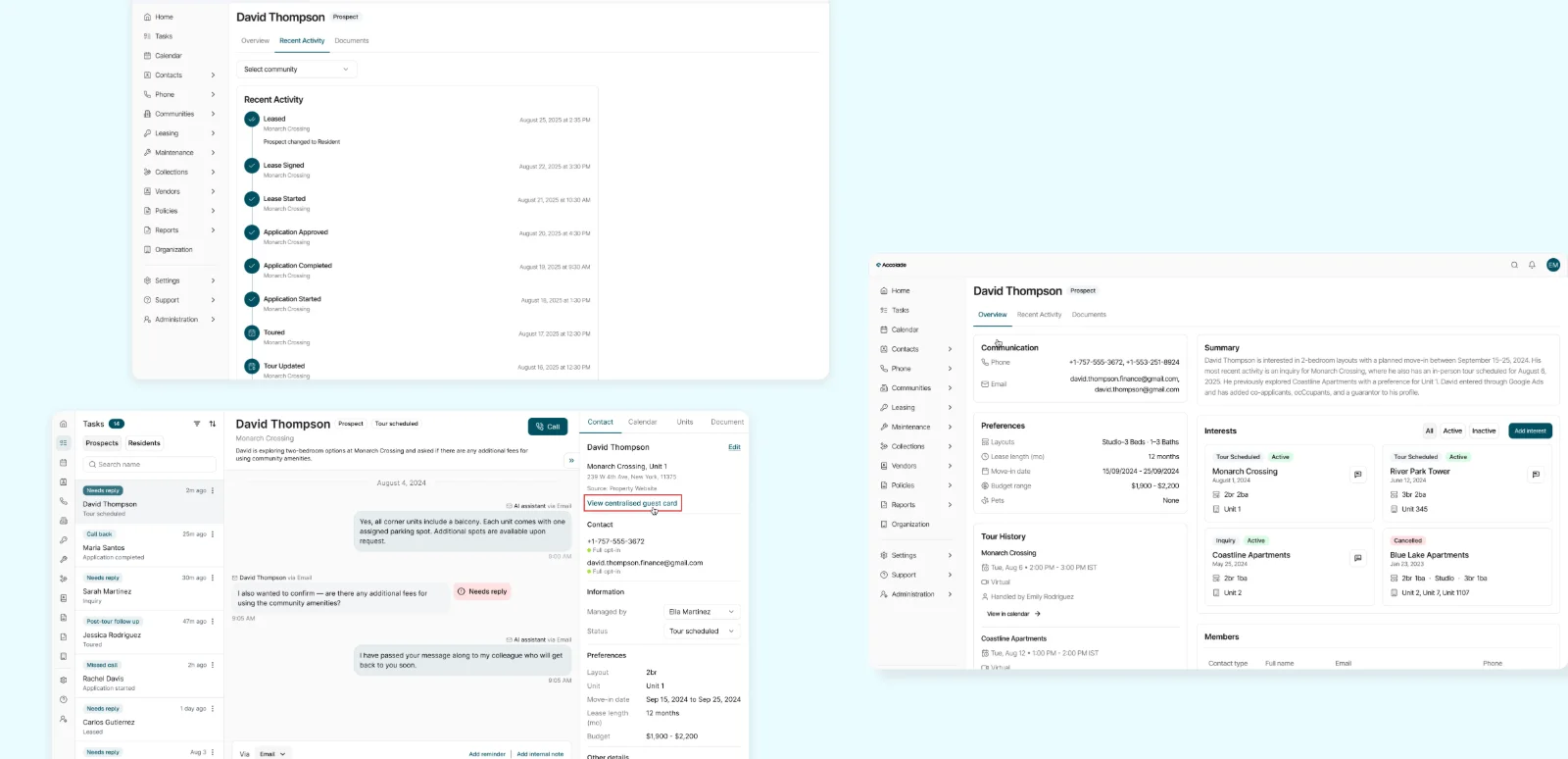
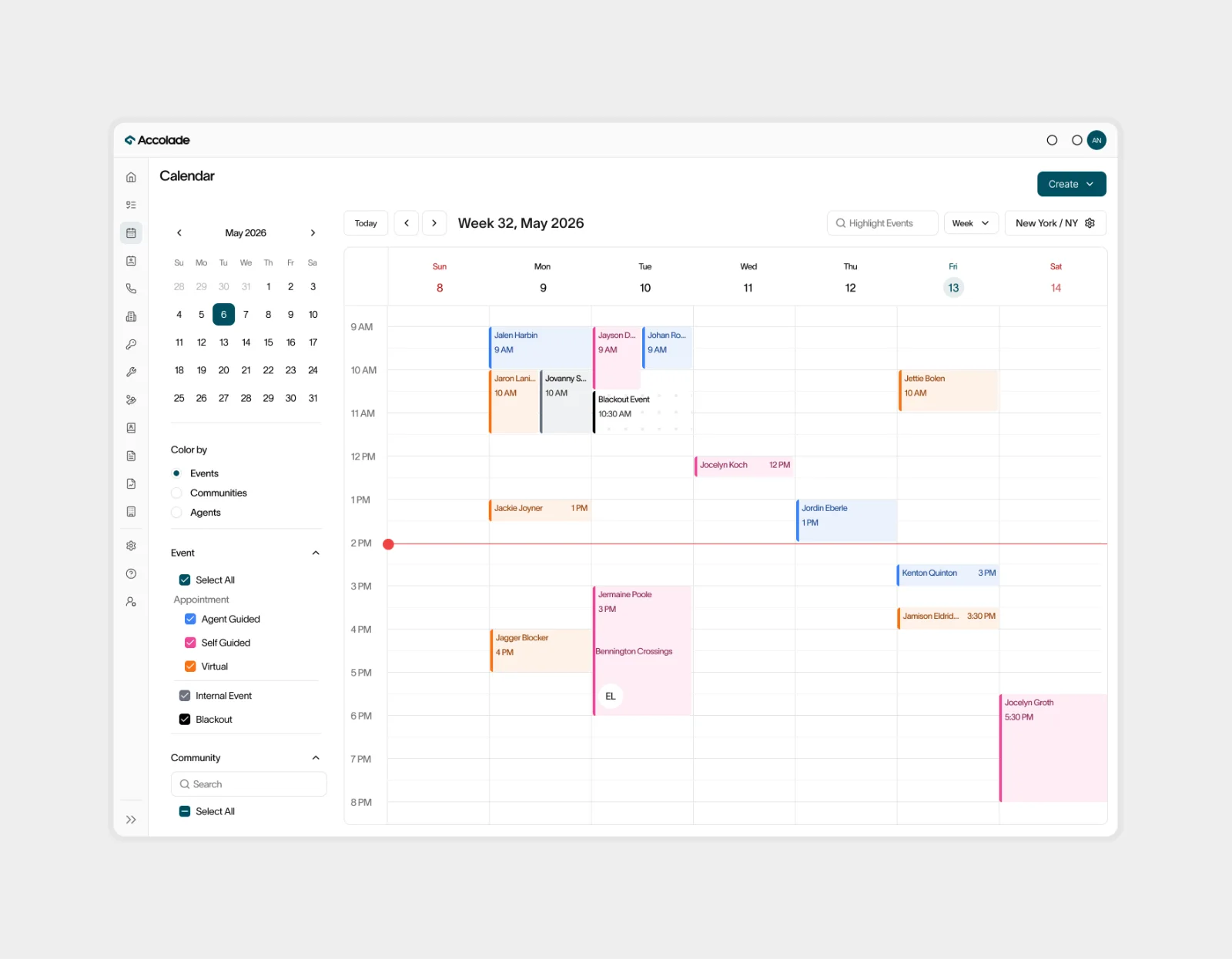
The goal shifted from putting everything in one place to making the right information available at the right moment.
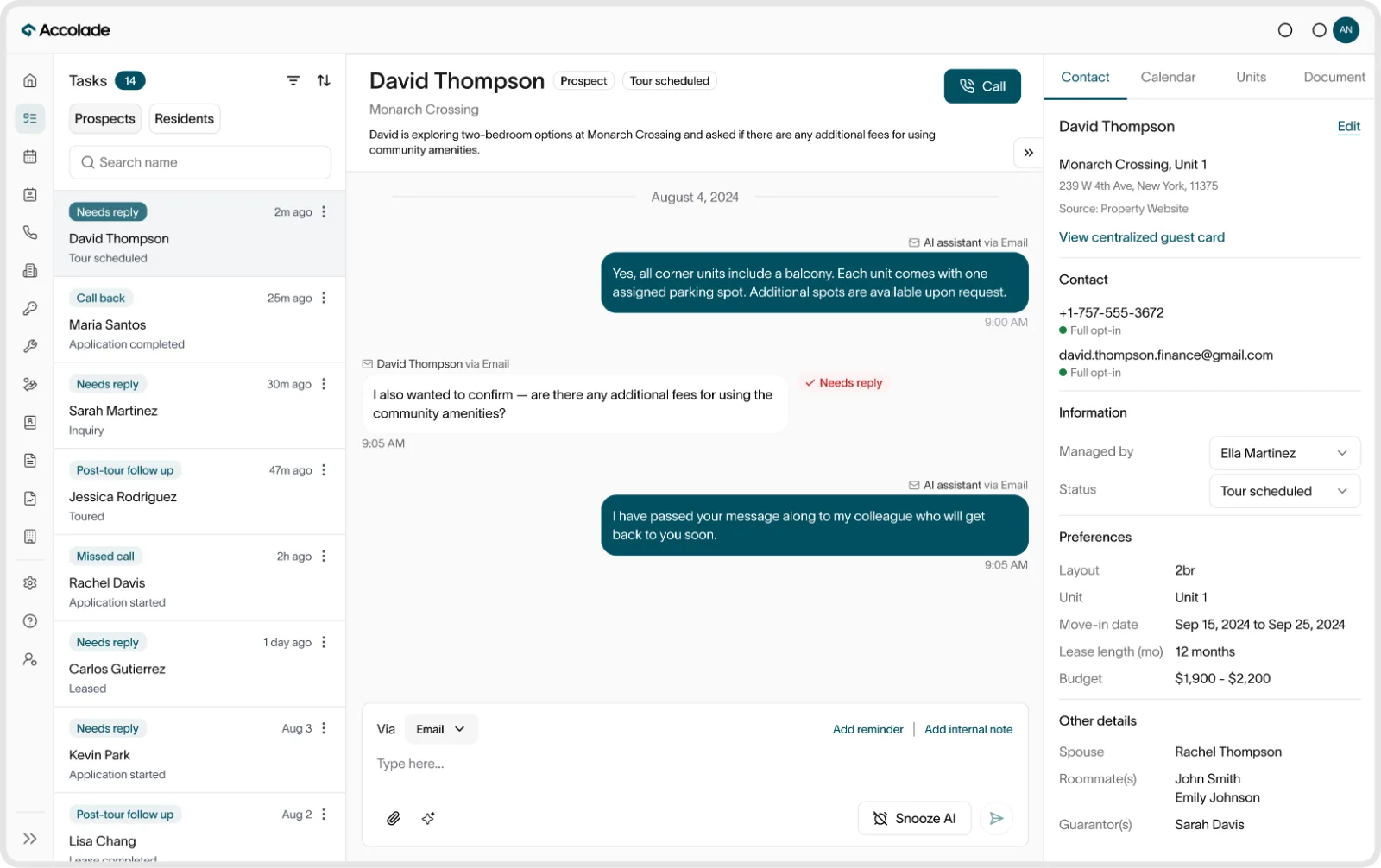
Bringing the prospect journey into one workspace
Prospect information is only useful when agents can understand it in the context of the conversation.
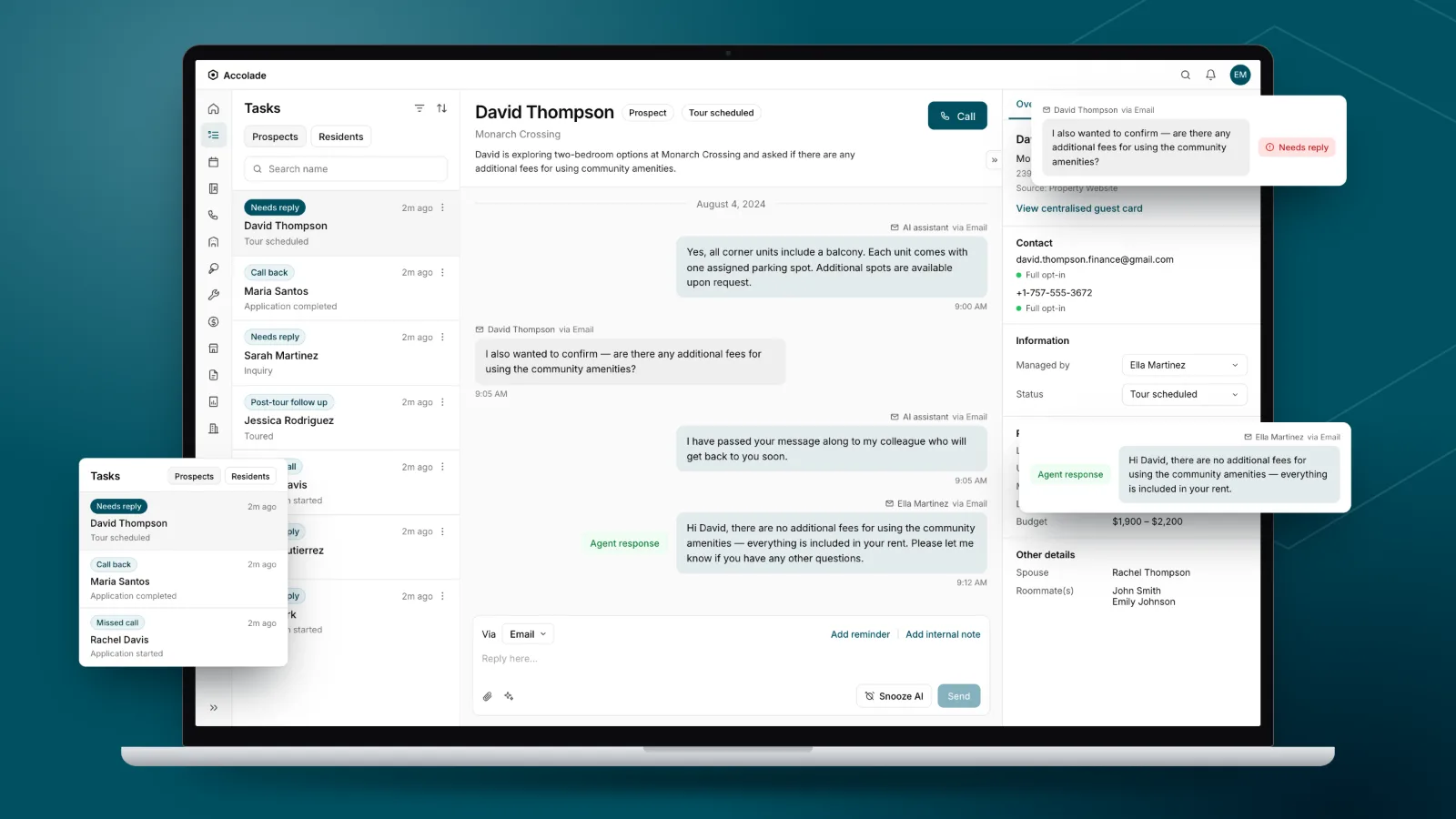
We brought contact information, property details, conversation history, notes, and relevant actions together in a centralized prospect workspace.
The challenge was deciding what agents needed immediately and what could remain accessible without competing for attention.
I worked on the information hierarchy and interaction patterns so agents could move between understanding a prospect, reviewing past interactions, and taking action without repeatedly switching contexts.
Making AI and human responsibilities clear
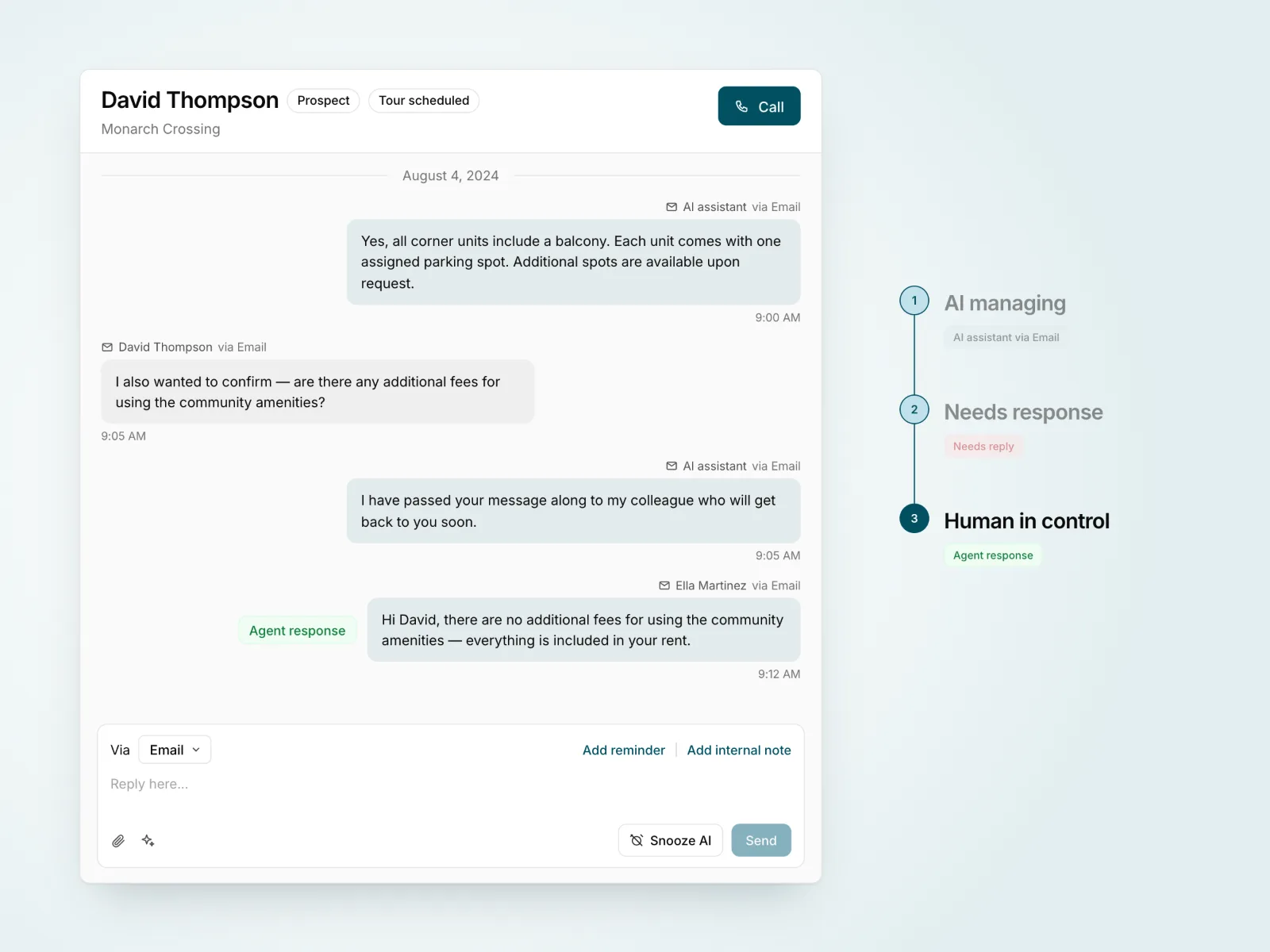
AI could answer common questions, support tour scheduling, and manage routine conversations. But not every request could or should be resolved automatically.
We needed clear conversation states that communicated whether AI was managing an interaction, an agent needed to respond, or a human had taken control.
I helped design these states and the interaction patterns around them, including how agents could identify conversations requiring attention, take over, and understand the surrounding context.
The goal was to make automation useful without making agents guess who was responsible for the next response.
Helping teams focus on what needs attention next
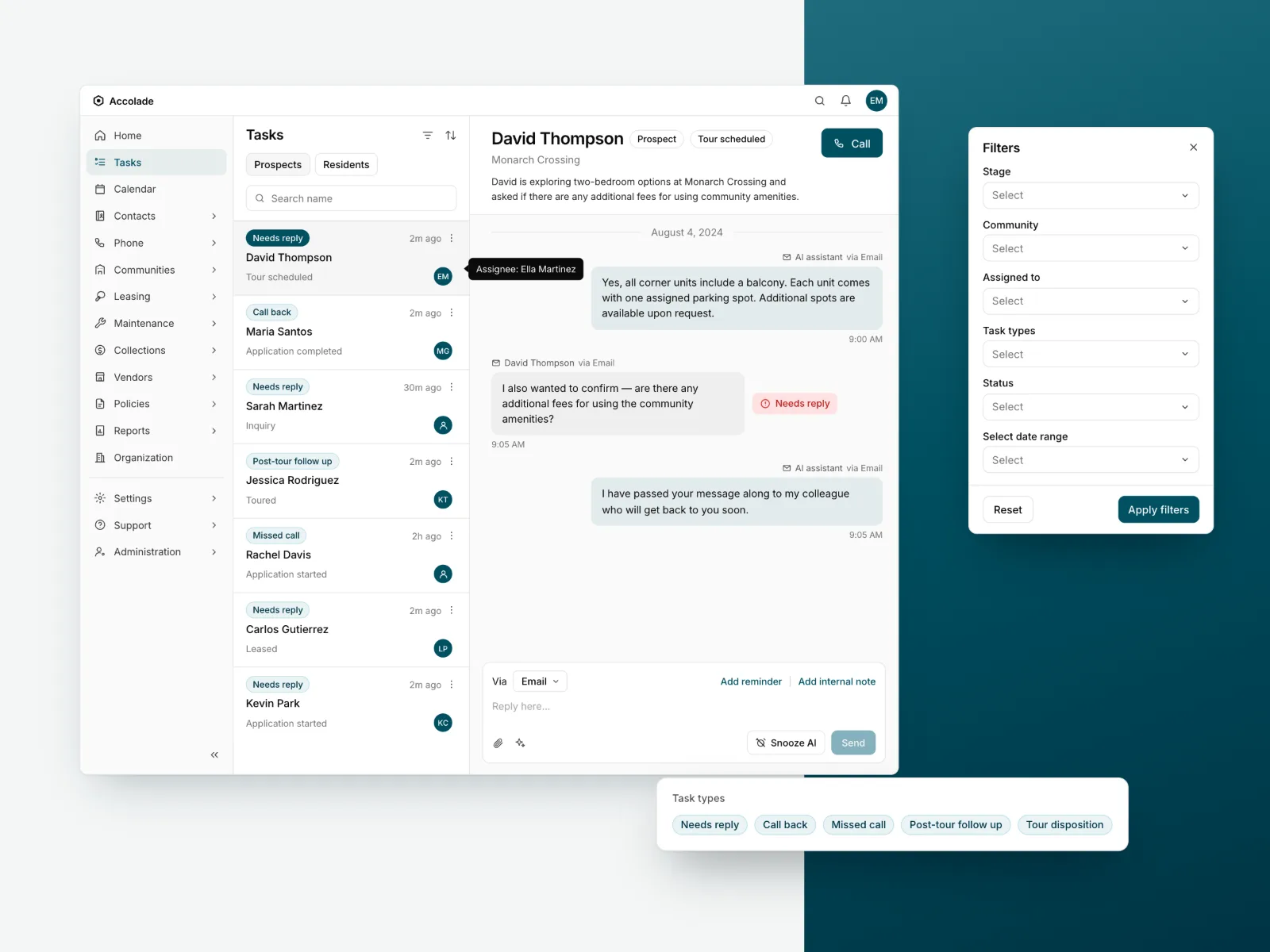
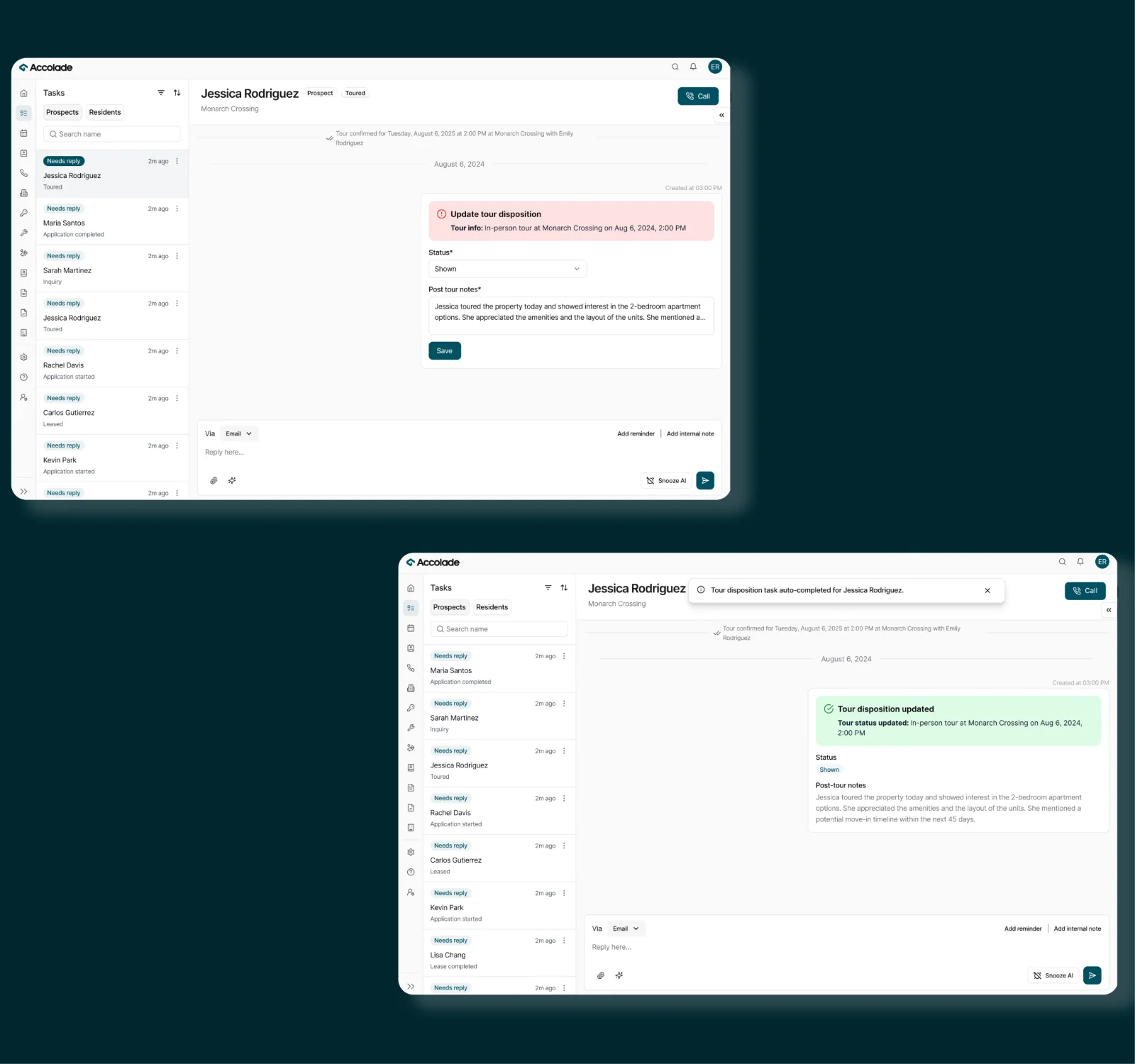
Conversations are only one part of leasing operations. Agents also manage callbacks, reminders, tour follow-ups, application reviews, and other tasks throughout a prospect's journey.
I worked on the task-management experience to make different types of work easier to identify, prioritize, and act on.
This meant considering how tasks were categorized, what information agents needed before taking action, and how the task experience connected back to prospect details and conversations.
Rather than treating tasks as a separate checklist, we designed them as part of the larger leasing workflow.
Building the MVP meant deciding what not to build.
Defining the right MVP. We had more ideas than we could reasonably include in the first version. I worked with the team to examine which features supported the core leasing journey and which could be simplified or deferred.
Working with connected systems. The experience depended on property management systems, communication providers, and backend services. Understanding these dependencies shaped what information could be surfaced and how different workflows behaved.
Refining requirements as we learned. Many interactions changed during design reviews and discussions with Product Managers, engineers, and stakeholders. We explored alternatives, revisited assumptions, and refined the experience alongside the PRDs.
Maintaining consistency as the platform grew. Reusable components and shared interaction patterns helped us avoid designing each new workflow in isolation.
Faster exploration, without skipping the thinking.
As the product evolved, so did our design process.
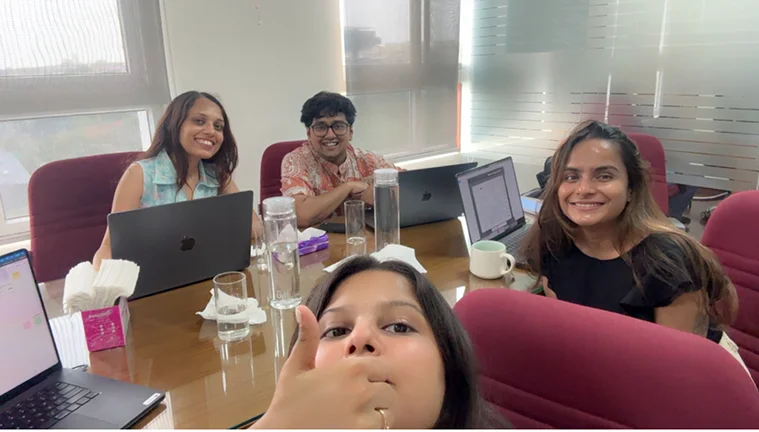
We initially explored ideas in Figma and reviewed them with the product team. Later, we started using Claude to prototype alternative directions, review UX copy, and work through product requirements earlier.
This helped us explore possibilities faster and make discussions more concrete before committing to detailed designs.
The tools changed, but the design decisions still required understanding user needs, technical constraints, and how each interaction fit into the larger product.
From fragmented workflows to a connected MVP.
Together, we developed the foundation of an AI-native leasing platform that brought prospect information, conversations, tasks, tour management, and human intervention into one experience.
- Helping shape the 0→1 leasing experience alongside Product Managers and engineers.
- Designing the prospect journey and core workflows across the CRM.
- Defining AI and human conversation states and interaction behavior.
- Co-authoring PRDs and refining requirements through iteration.
- Contributing reusable interaction patterns that supported the broader platform.
- Staying involved through design reviews, QA, and implementation discussions.
The product remained in its pre-launch MVP stage, so we were not yet measuring adoption, conversion, or operational efficiency at scale.
Our focus was establishing coherent workflows, validating product direction, and building a foundation the team could continue developing.
What this experience taught me
This project changed how I approach complex product problems.
I learned that designing an AI-native experience requires thinking beyond interfaces. It means understanding who is responsible for each action, what information people need to make decisions, and how different systems and workflows connect.
It also reinforced the importance of staying close to product decisions. In a 0→1 environment, the best contribution isn't always another screen. Sometimes it's helping simplify a requirement, questioning a workflow, or identifying a pattern that can solve problems across the product.