Creating the foundation for a scalable B2B platform
Designing the administrative foundations of an AI-native CRM, connecting users, permissions, communities, and teams across multifamily property operations.
- Company
- Accolade, New York
- Role
- Product Designer
- Timeline
- March 2025 – August 2026
- Industry
- PropTech · AI · B2B SaaS
- Platform
- Web-based CRM
- Focus
- 0→1 Product Design · Platform UX · Information Architecture · Role-Based Access Control (RBAC) · Admin Workflows
Before AI could manage work, we needed to establish who was responsible for it.
At Accolade, we were building an AI-native CRM to help multifamily property teams manage leasing and other operational workflows.
But before those workflows could function, organizations needed to define who could access the platform, which properties they managed, and what responsibilities they held.
These weren't independent settings. They were connected decisions that affected how different parts of the product would work.
As one of the founding Product Designers, I worked alongside Product Managers and engineers to shape the administrative experiences supporting the larger CRM.
One organization. Multiple properties. Different responsibilities.
Consider a property management company overseeing 50 communities.
Now imagine an administrator onboarding employees, configuring permissions, or assigning properties as those responsibilities change.
Managing these activities separately could introduce repetitive work, inconsistent access, and disconnected workflows.
The challenge was to make complex organizational structures manageable while keeping the experience flexible enough for different businesses.
- ACCESS What can each employee view or manage?
- COVERAGE Which properties are they responsible for?
- RESPONSIBILITY Which team should handle the work?
Designing the relationships before the individual screens.
The complexity wasn't in any single page. It was in how users, permissions, properties, and teams related to one another.
Working with Product Managers and engineers, I helped translate these relationships into information architecture, user flows, product requirements, and interface designs.
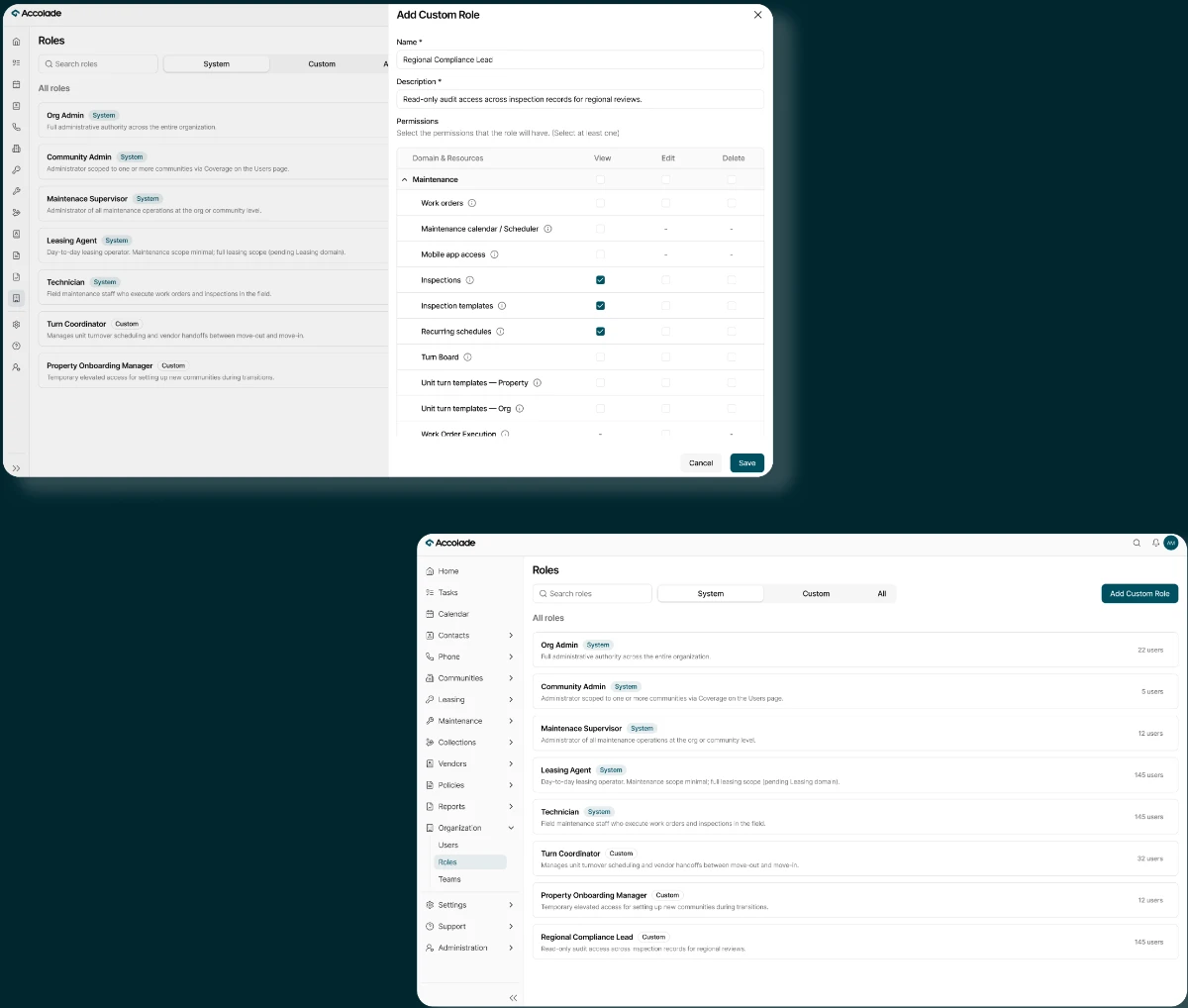
Three connected design decisions shaped the experience.
Making permissions flexible without making them difficult to manage.
Different organizations needed different levels of access. A leasing agent, maintenance supervisor, and administrator shouldn't necessarily see or manage the same information.
We designed a role-based access control (RBAC) experience that supported configurable permissions across Leasing, Maintenance, Call Center, and Administration.
I worked closely with Product Managers to help define and refine permission rules, including what different roles could view, edit, or manage.
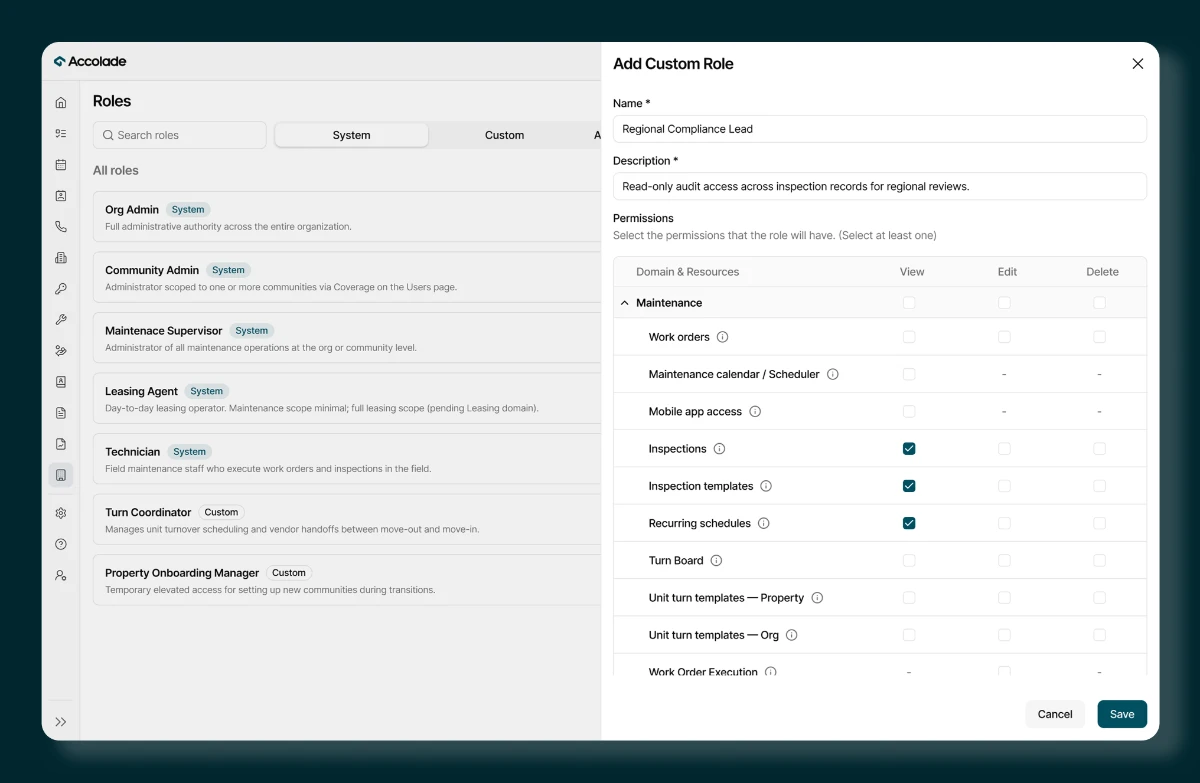
The design also needed to account for changes over time.
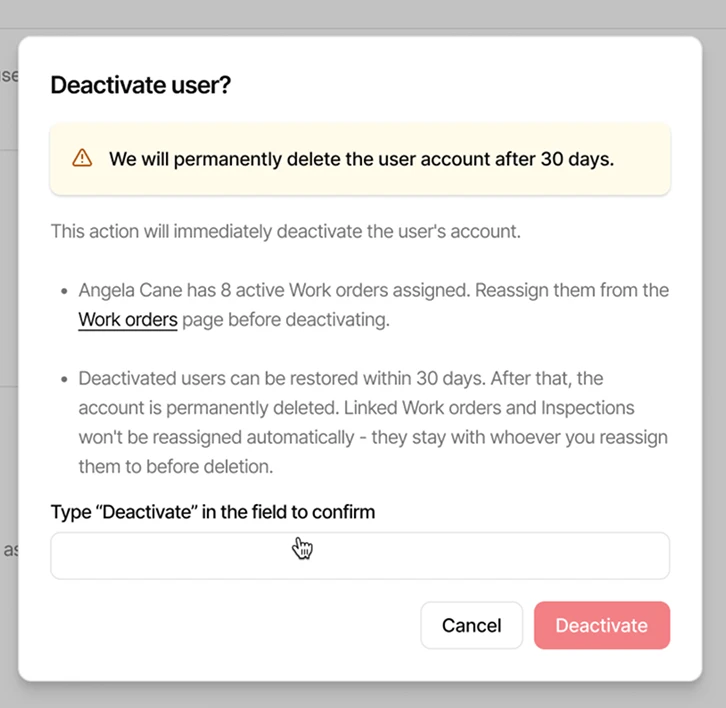
- What happens when a role is updated?
- What if multiple employees share it?
- How should expired invitations, deactivation, or role changes be handled?
These decisions shaped the user onboarding, role management, and permission workflows.
The goal wasn't just to provide access. It was to make access easier to manage as organizations evolved.
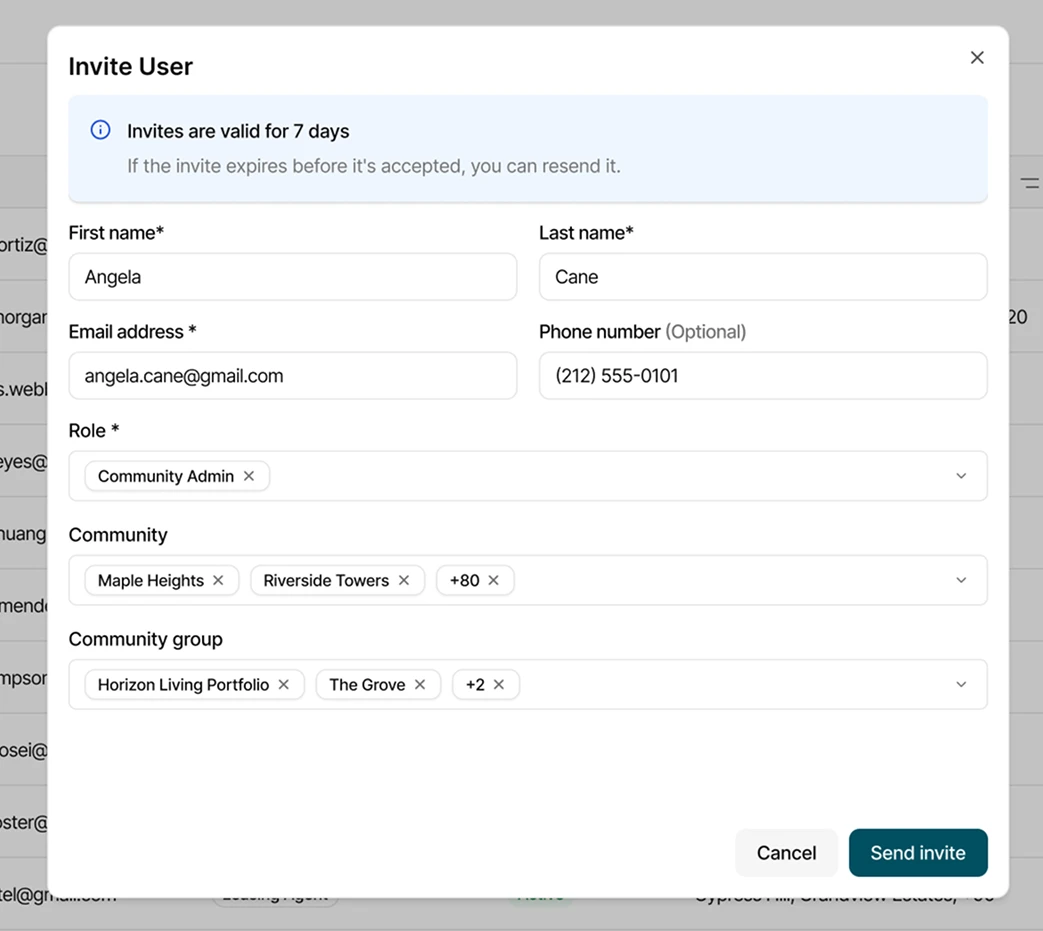
Replacing repeated property assignments with reusable Community Groups.
Managing a few properties is straightforward. Managing dozens across different employees and teams creates a different challenge.
Without a shared structure, administrators could end up repeatedly selecting the same properties when assigning coverage.
We introduced Community Groups, allowing administrators to organize properties into reusable groups and assign them to employees.
The intended behavior was that when communities were added to or removed from a group, those changes would automatically be reflected in the associated employee assignments.
This meant administrators wouldn't need to update each employee's property assignments individually whenever a group's composition changed.
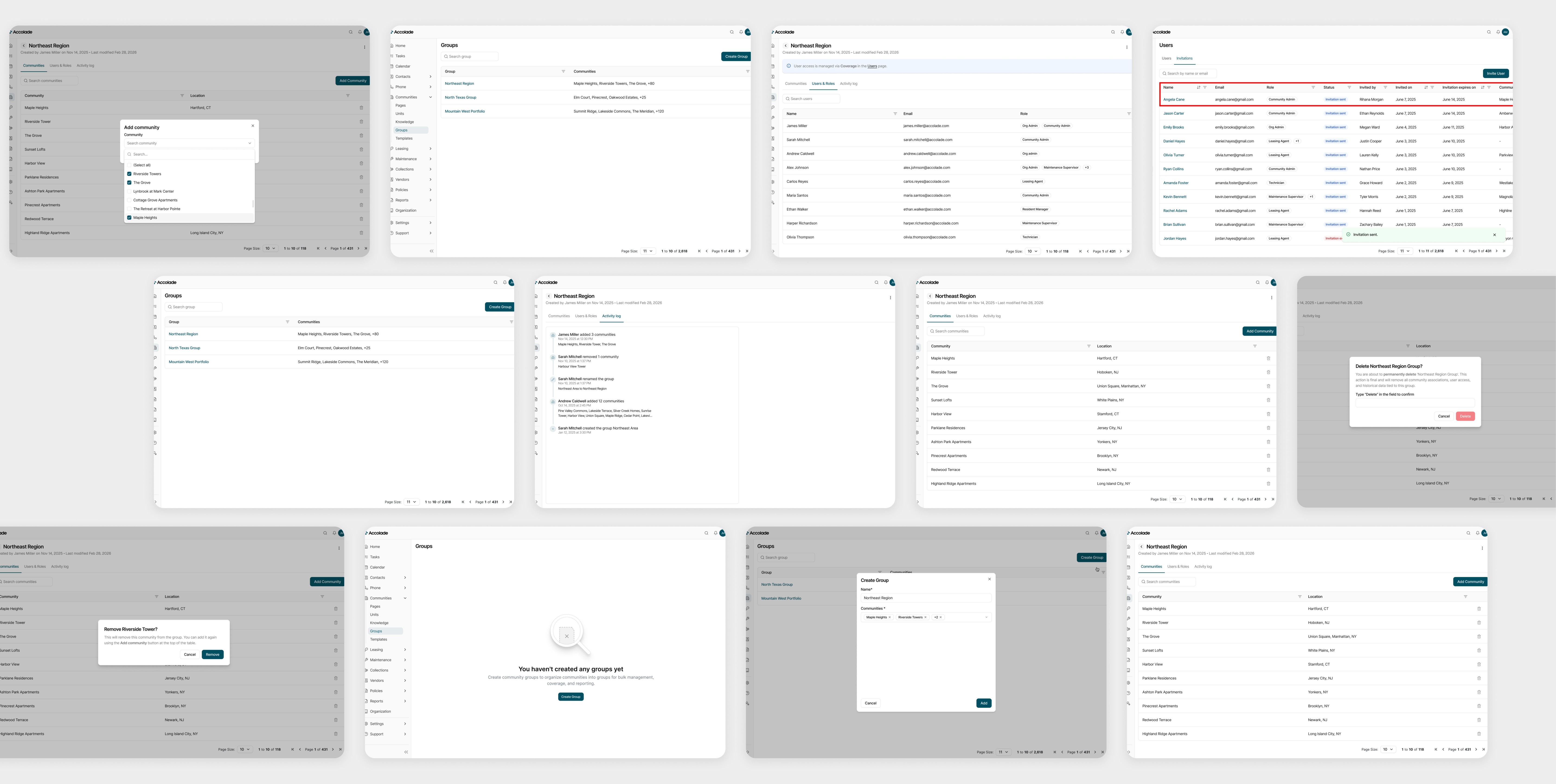
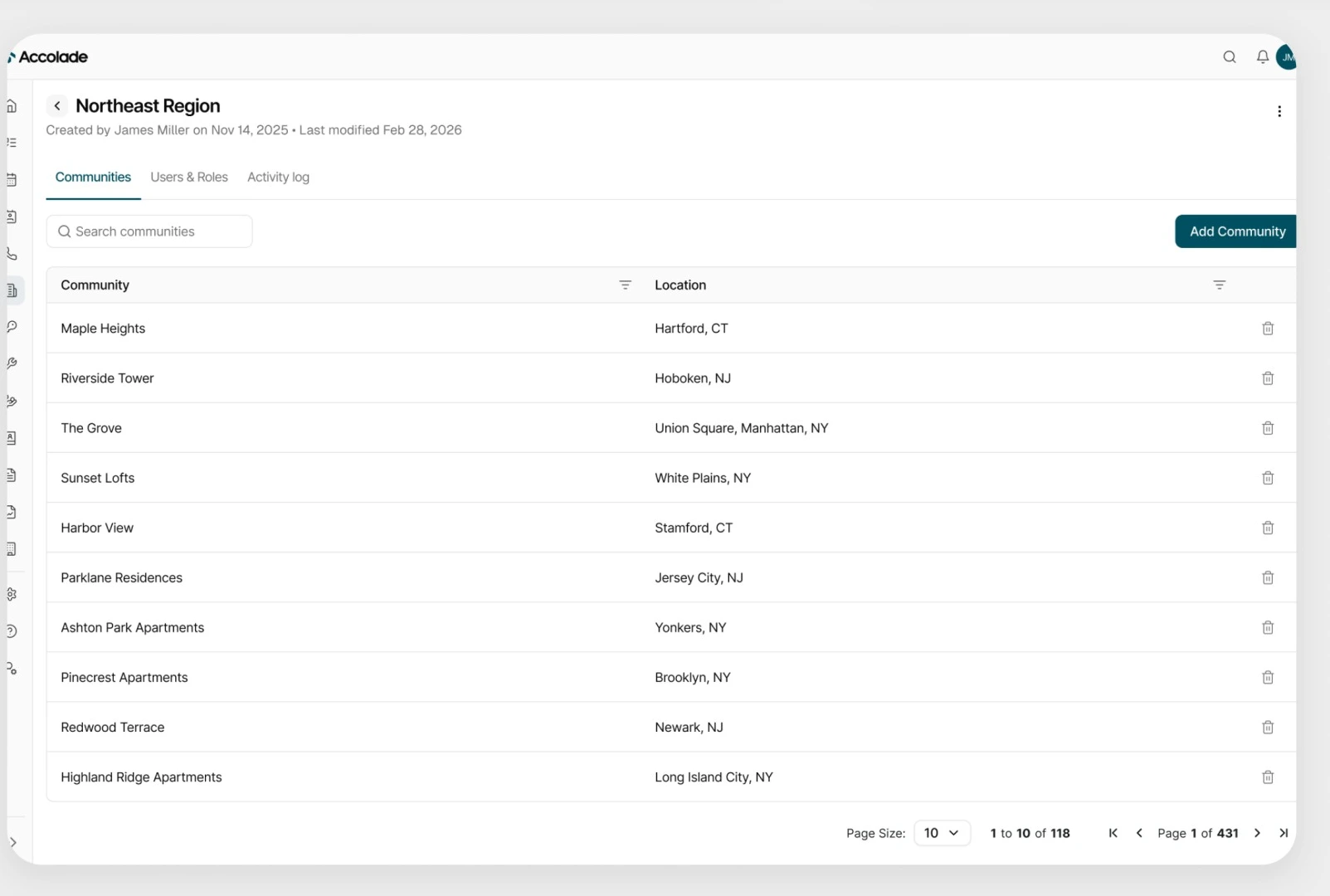
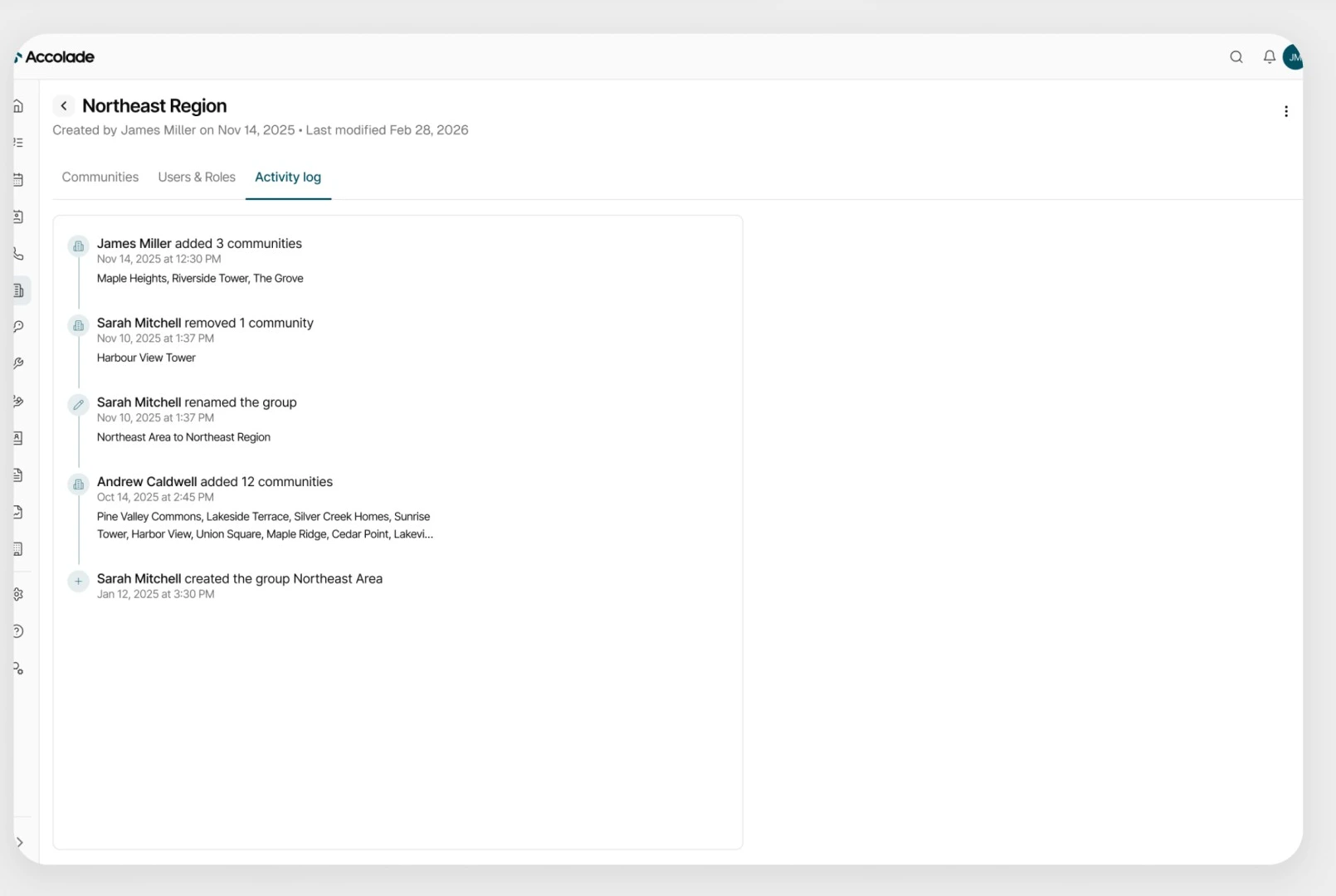
One shared structure replaced repeated property-by-property configuration.
This decision connected property management and employee access through a reusable information structure rather than separate workflows.
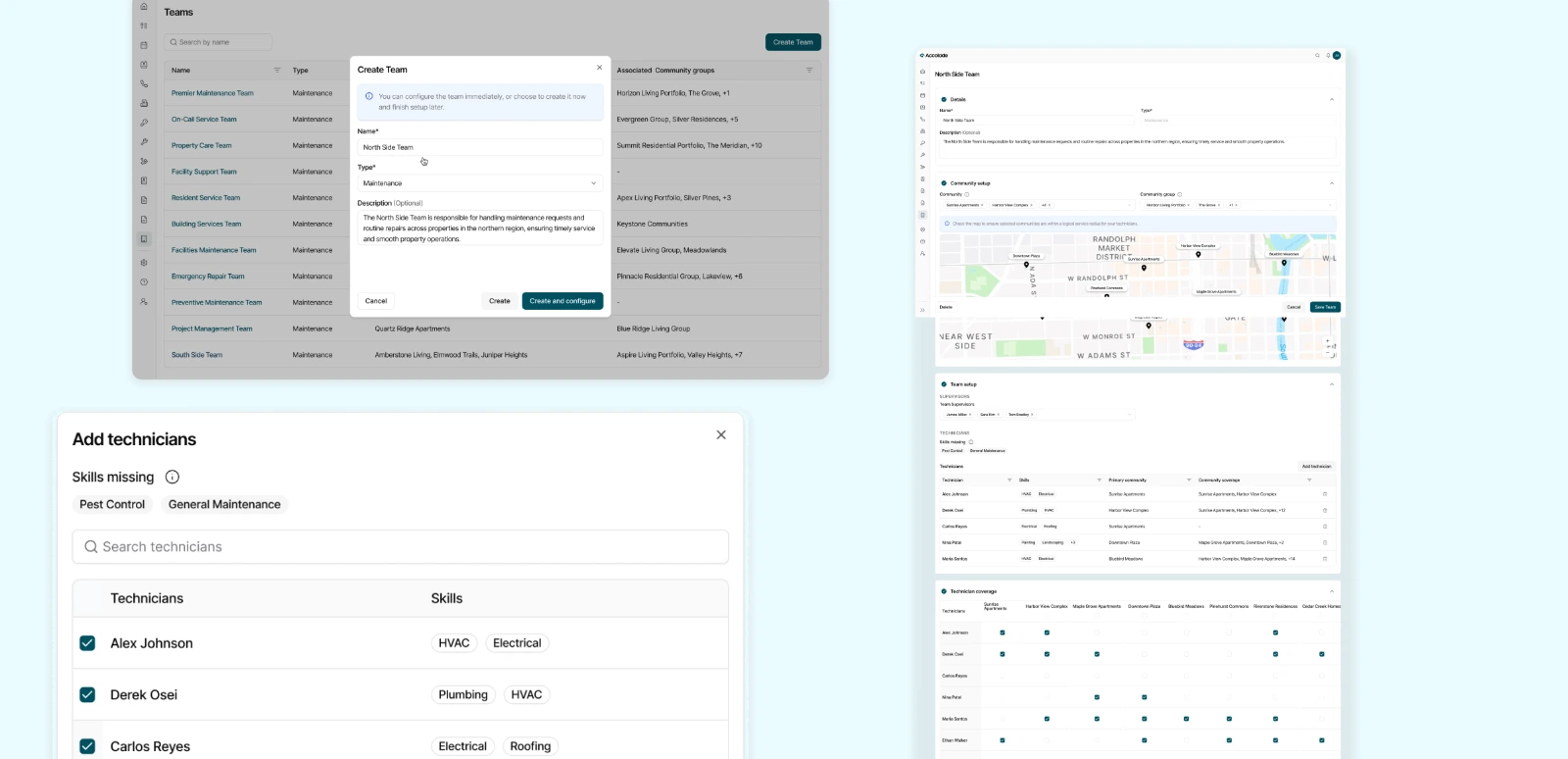
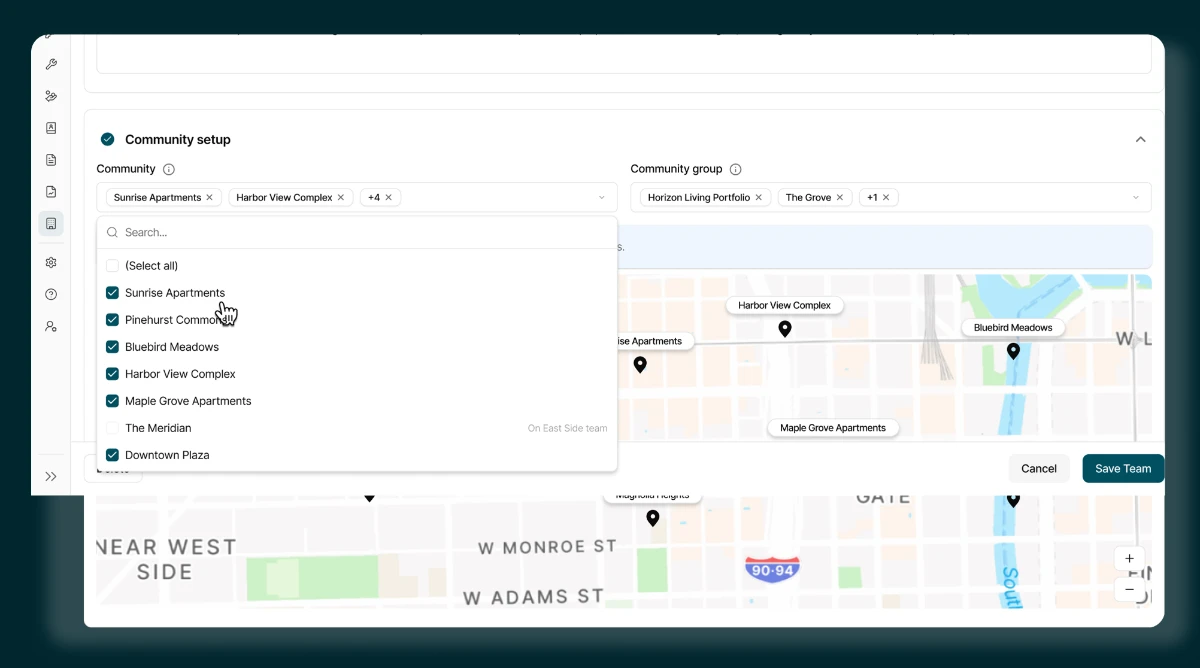
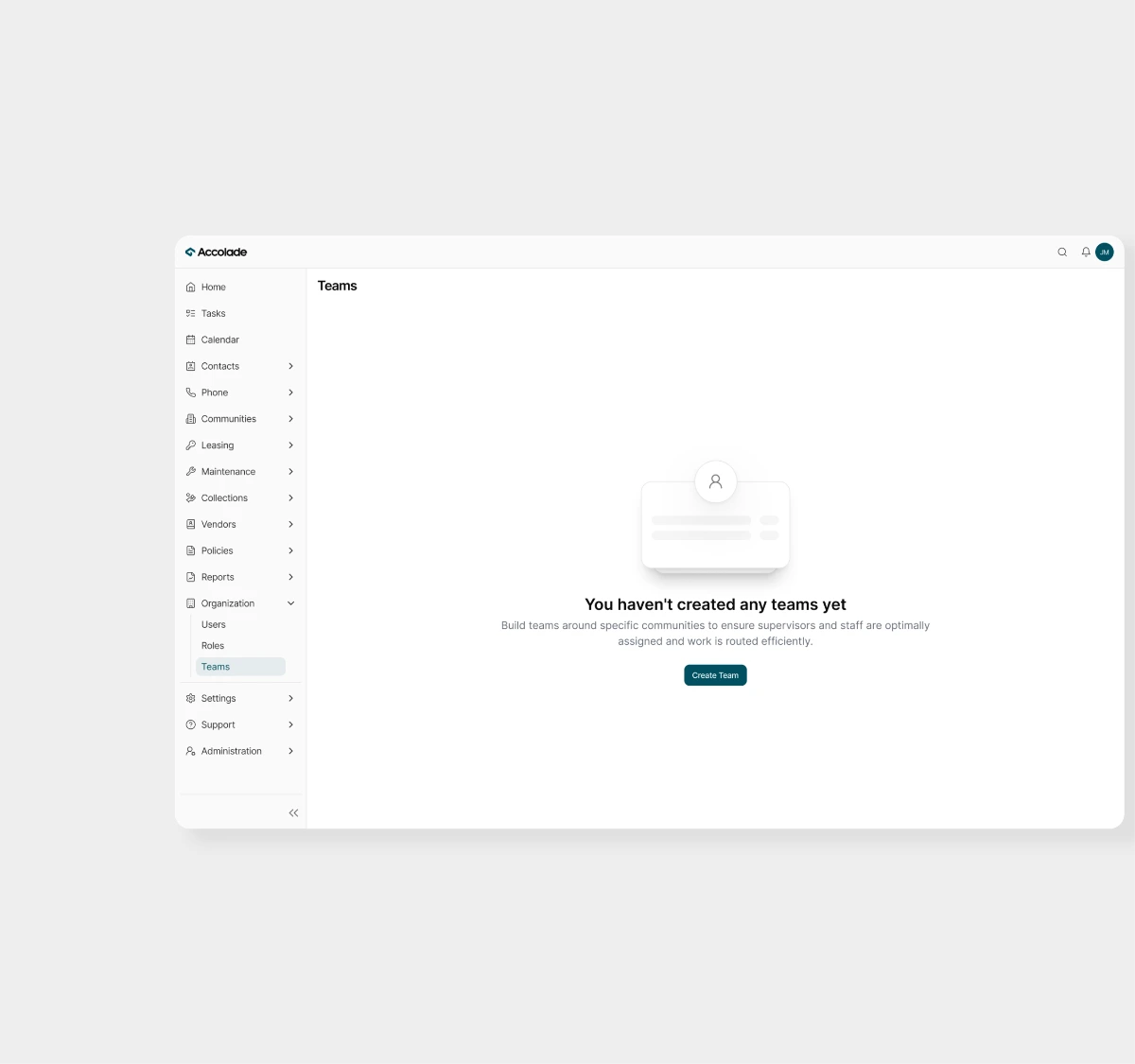
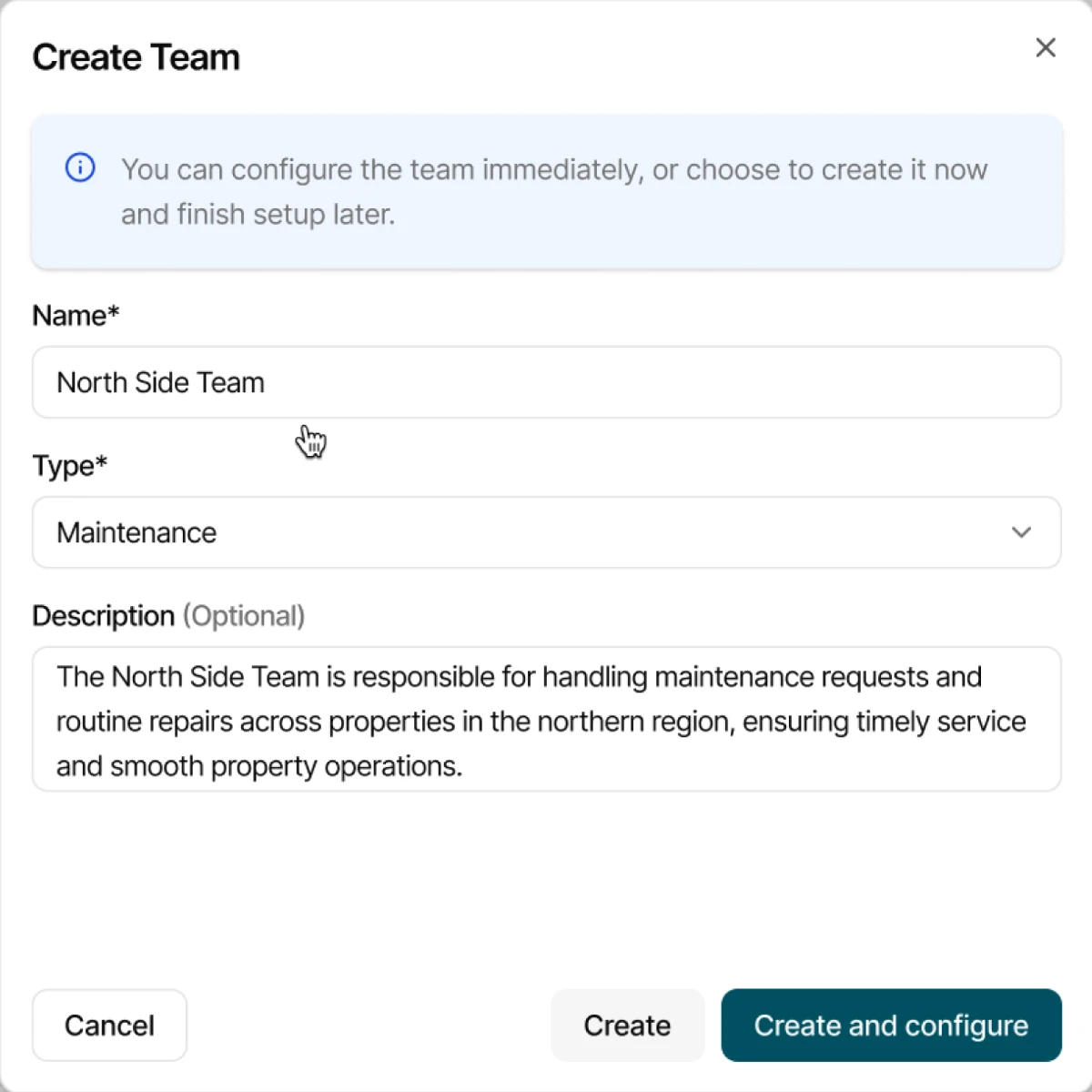
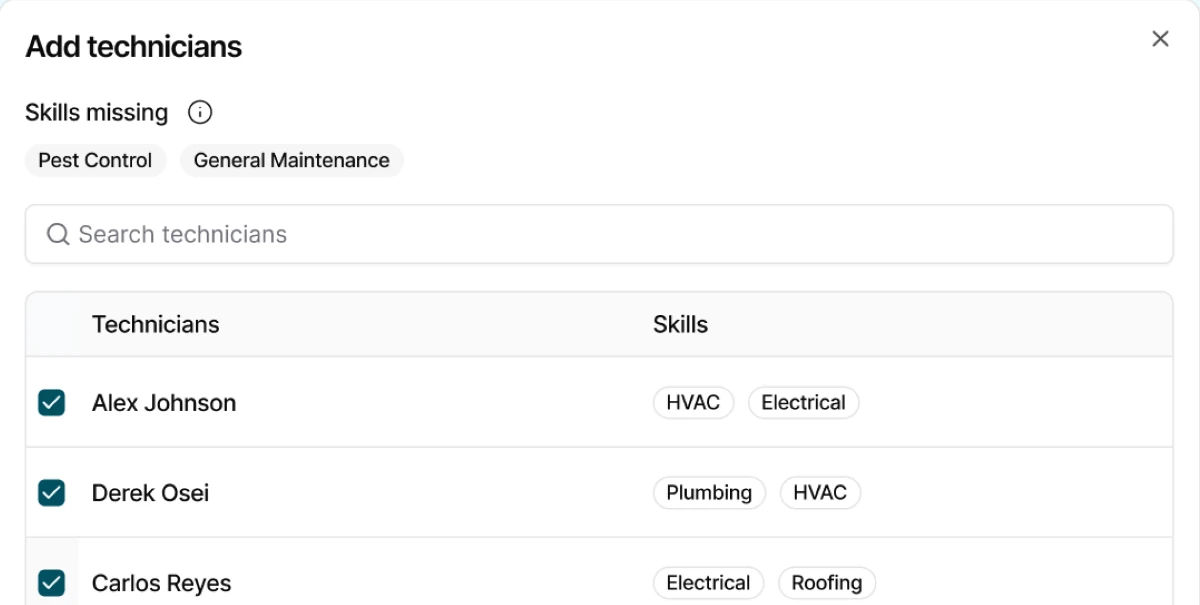
Establishing team responsibilities before assigning maintenance work.
The same need for clear organizational structure extended to maintenance operations.
Before the platform could assign maintenance work, it needed to know which technicians and supervisors belonged to which teams and which properties they covered.
I helped design the Maintenance Team setup experience, connecting team membership, supervisors, technician skills, and community coverage.
We worked through operational constraints with Product Managers and engineers.
- R1A technician could belong to only one team,
- R2while supervisors could manage multiple teams.
- R3Each property needed an assigned maintenance team.
These rules influenced how administrators created, edited, and managed teams within the CRM.
By defining team responsibilities upfront, we established the structure needed to support maintenance assignment workflows.
A connected foundation for a growing B2B platform.
Together, these experiences established a shared design foundation for managing users, permissions, communities, and maintenance teams within Accolade.
Rather than treating each administrative workflow as an isolated feature, we connected them through reusable structures, consistent interaction patterns, and shared product rules.
My contributions extended beyond the interfaces. I collaborated with Product Managers on requirements and permission rules, explored edge cases, refined workflows through iterations, and worked with engineers to align the designs with implementation constraints.
The platform remained in its pre-launch stage, so we weren't yet measuring adoption or operational efficiency at scale.
Our outcome was a connected set of administrative workflows designed to support the broader CRM as it evolved.
Designing for scale starts with understanding how everything connects.
This project helped me think beyond individual screens and features.
I learned how important it is to understand the relationships between users, permissions, properties, and teams, especially when designing complex B2B products.
It also strengthened how I work through changing requirements, define edge cases with Product Managers, and consider the implications of design decisions across different workflows.
Scalable product design isn't only about reusable components. It's also about creating structures that support different people, teams, and evolving business needs.